How It Started
When working on a Python project in VSCode, I kept accidentally hitting Shift + Enter while trying to press Enter, which would run my Python code.
It turns out there’s a Python “run selection” feature assigned to that key binding.
Let’s get rid of it.
Removing It
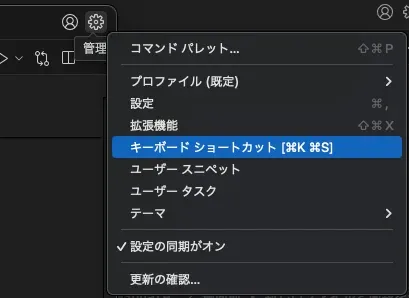 Press
Press ⌘ + K, ⌘ + S, or click the gear icon in the top-right or bottom-left of VSCode and select “Keyboard Shortcuts.”
The list of key bindings will appear. Type “shift enter” into the search box to filter it.
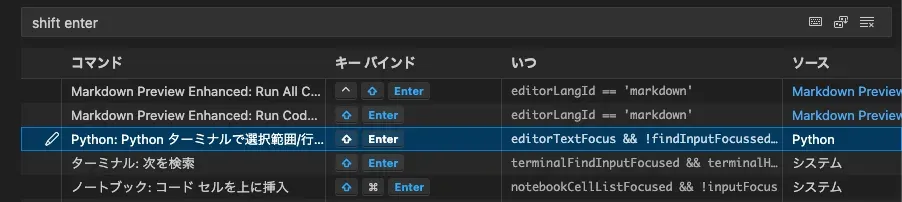
Right-click on the “Python: Run Selection/Line in Python Terminal” entry that shows up and delete it.
Closing
Enjoy a more comfortable VSCode life.