Introduction
Qiita Engineer Festa 2024 has started. It looks like you get merch for posting 19 articles, so let’s give it a try! Apparently if you post 38 articles you get something extra too. So I wanted to add my article-posting schedule to Google Calendar, but registering 38 days’ worth by hand is a pain, so let’s automate it with GAS! (There’s probably a better way, but for the romance of it…)
Approach
Create a Google Calendar for the Event
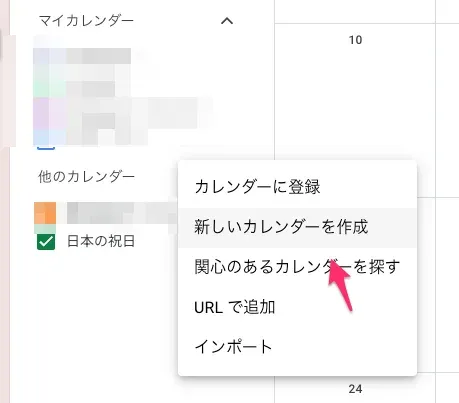 Create a new calendar for the event.
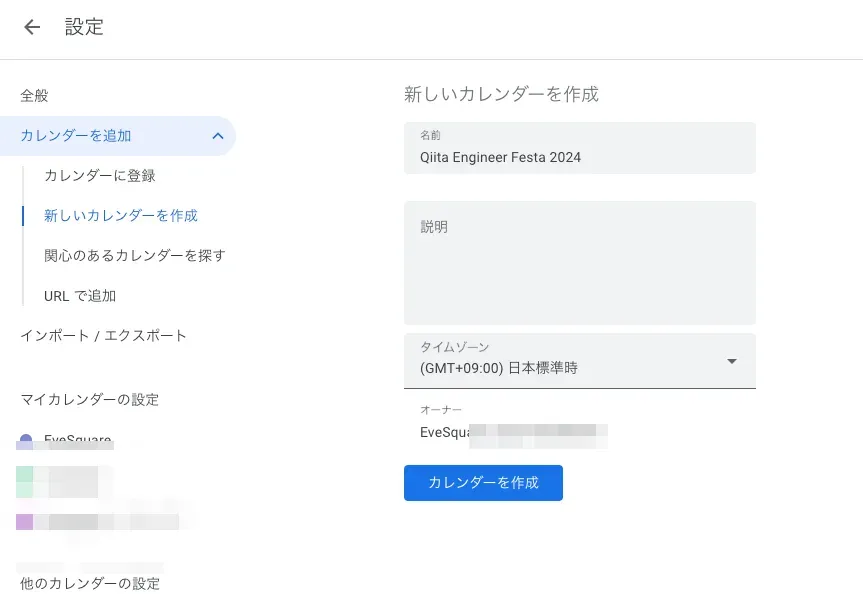 Once you’ve created the calendar, open the calendar settings and check the calendar ID.
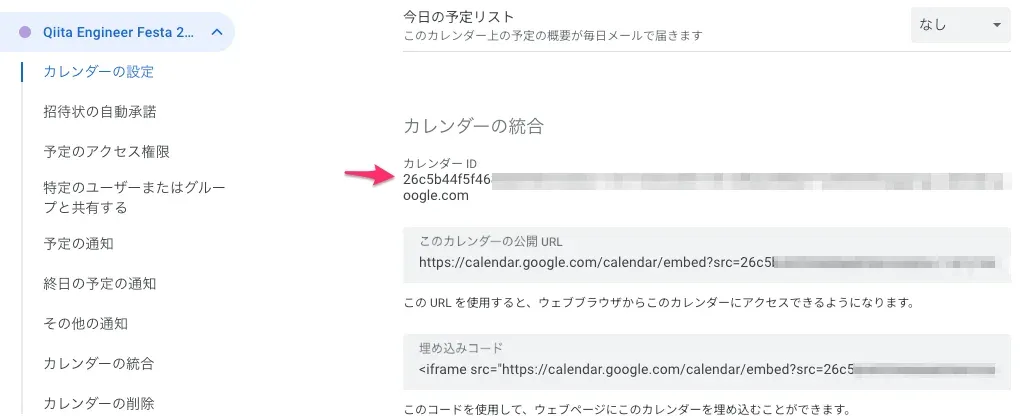 Make a note of the calendar ID shown here.
Set up Apps Script
Create a new Google Spreadsheet > click the “Extensions” button > click Apps Script to get ready to write GAS. The article below probably explains the details more clearly 💦 https://qiita.com/massa-potato/items/2db4cd27f8e8dc4c3f97
After that, paste in this code
const CALENDER_ID = 'xxxxxxxxxxxxxxxxxxx@group.calendar.google.com'; # <- Replace with your own calendar ID
const calendar = CalendarApp.getCalendarById(CALENDER_ID);

function myApp() {
  const recurrence = CalendarApp.newRecurrence().addDailyRule().times(38);

  const title = "Qiita article posting 💪";
  const options = {};
  const startDate = new Date("2024/06/03");

  calendar.createAllDayEventSeries(title, startDate, recurrence, options);

  calendar.createAllDayEvent("Last day of the posting campaign 🗓️", new Date("2024/07/25"));
}
Run it!
In Apps Script, select myApp and run it.
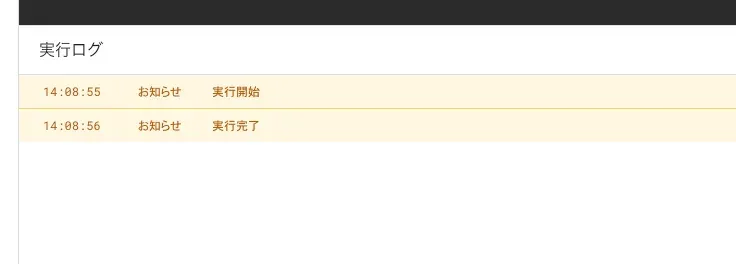
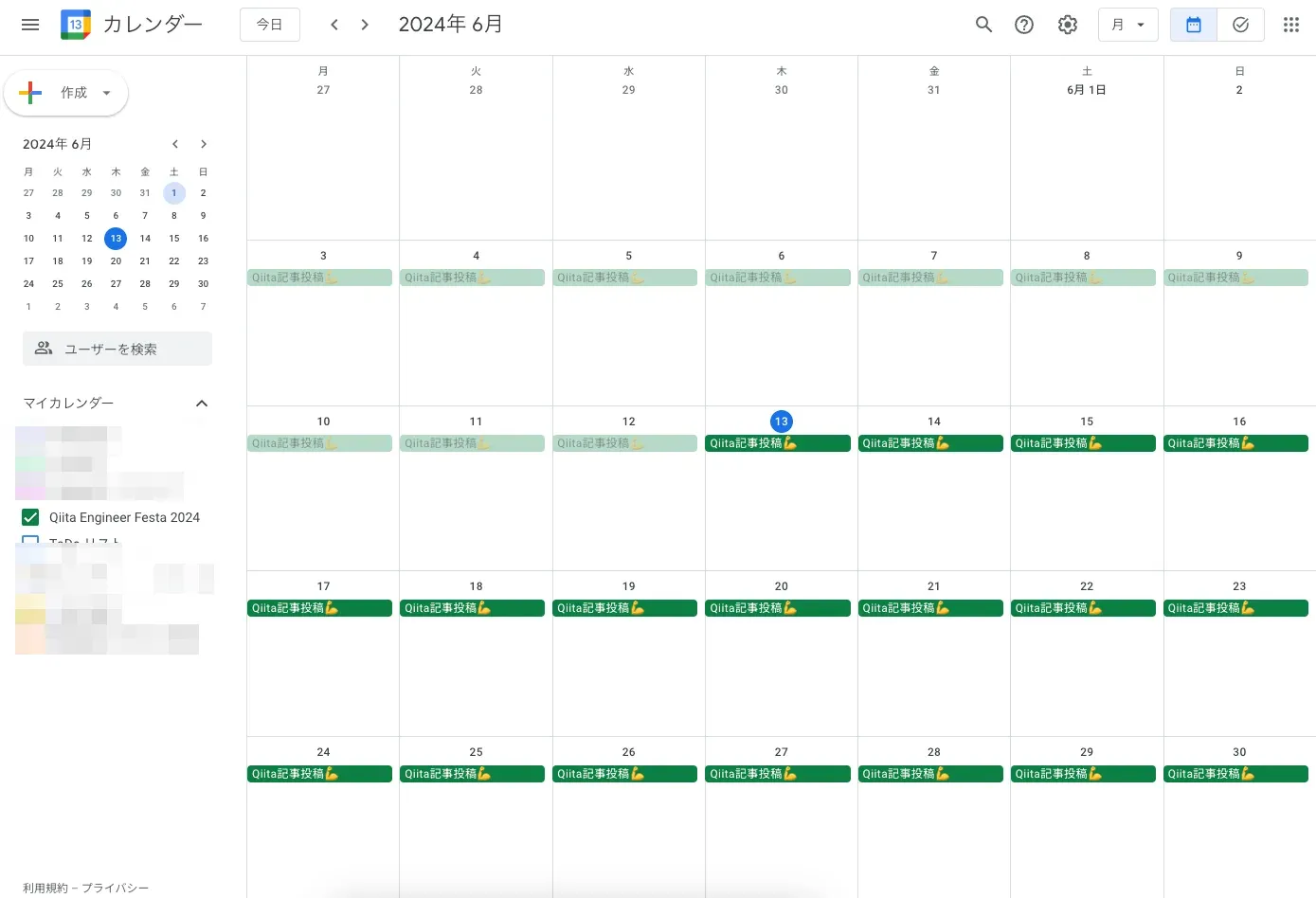
With that, 38 days’ worth of events are registered! Done 🎉
Write articles!
Writing the articles is up to you!
References
https://qiita.com/yuma-o2525/items/e226e825847c907c5d3f https://qiita.com/massa-potato/items/2db4cd27f8e8dc4c3f97